
Learn AI With Me: Design Tools
Day 4, in which I dip a toe into the world of AI-enabled, prompt-driven design tools

I will admit that I’m about a generation behind when it comes to UI design tools. I had been keeping up with the tools for user-interface design before there really were user-interface design tools. I drew my first user-interface concept on paper in the early 90’s, and when I had to start using a computer to make design specs, I tried anything I could get my hands on.

When I stopped doing hands-on design work, Sketch ruled the space. By the time Figma arrived, I’d mostly moved into hands-off roles, so I never became comfortable with the tool. The economics of investing in the early part of the learning curve just didn’t make sense. So I’ve mostly missed the Figma generation of tooling.
Now, a new generation of tooling is emerging, one that promises a new paradigm. Instead of drawing, the promise is that we can prompt our way to good design. We can work more like the hands-off manager that I’ve become, and less like the hands-on designer that I used to be.
Sounds great? I’m skeptical, but I’m going to give it a try.
A Hands-Off Designer?
People have been recommending new tools to me recently, many with the promise that non-designers will be able to use them—implicit in this idea is either (1) [breathless voice!] AI brings the power of design to the masses! or (2) we won’t need to pay designers anymore. Bolt, Lovable, Cursor, and others make this list of prompt-first tools.
For this post, I’m going to ignore traditional design tools (including Figma) that have adopted AI features (this is a promising direction, and I’ll come back to it in a future post.) Instead, I’m going to report on my first experience with some of these prompt-driven tools. I started with Loveable, a conversational AI app builder where you “build software products using a chat interface.” The promise is that you can “build entire web applications using natural language prompts.” I also tried Magic Patterns, which describes itself as “the AI prototyping platform for product teams” that “generates UI that matches your existing product and allows you to explore new ideas in minutes.”
My First Prompt-Driven Design
For my first attempt, I tried to use Lovable to create an app for the scenario that I described yesterday: take a post from Substack and break it up into a series of Substack Notes. I was defeated because I couldn’t connect to an AI engine without paying, and I wasn’t ready to do that yet.
(Aside: There’s a bit of a pattern here with these tools—the free tiers don’t let you get very far before they’re asking for money. I get the need to monetize, but I don’t want the free account to simply be a demo. I want the tool to prove that it’s valuable. If it does, I’ll be glad to pay to continue to get that value.)
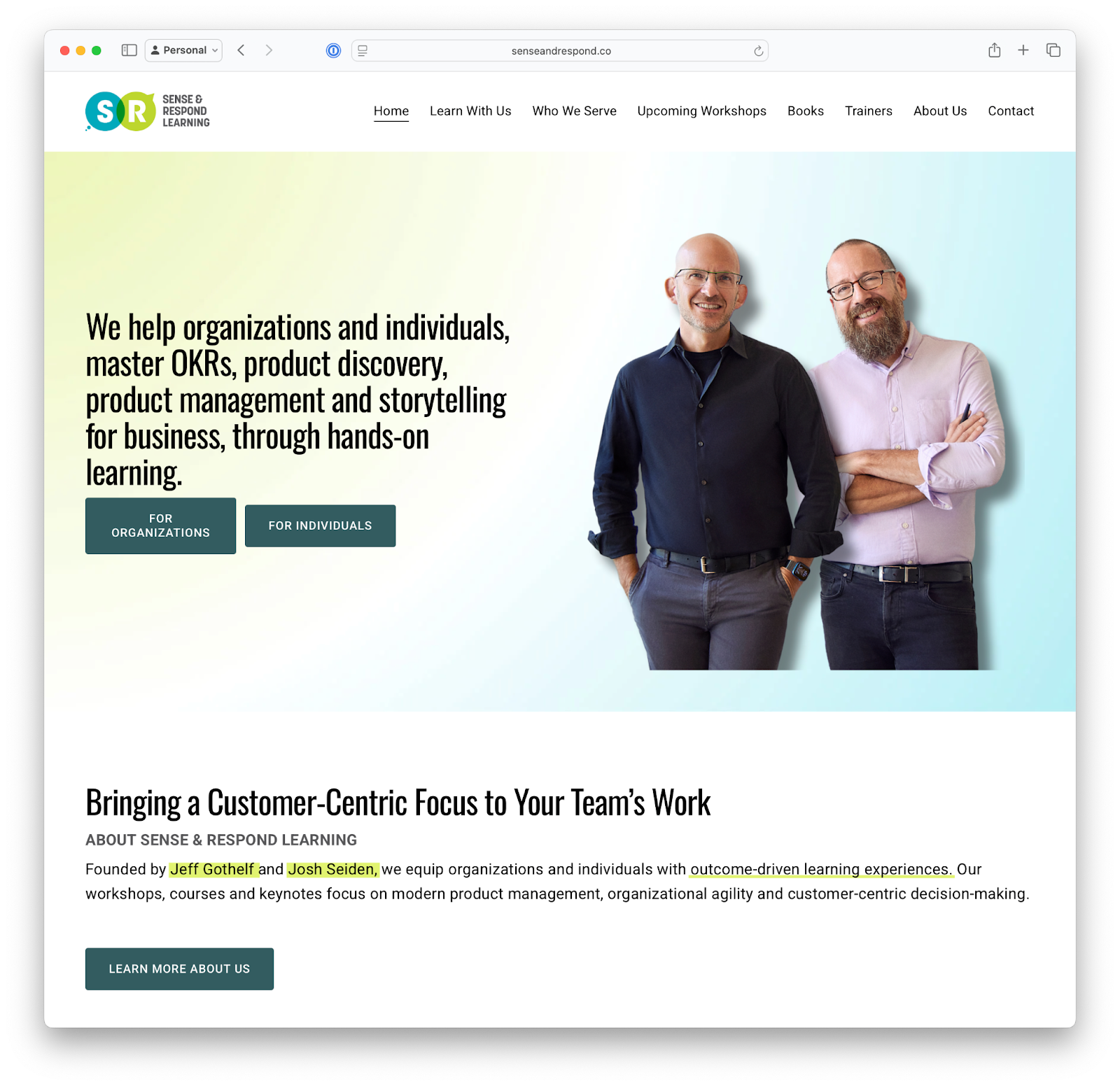
Since I wasn’t ready to pay for Lovable, I moved on to explore another tool. I tried Magic Patterns, which seems more suited to creating visual prototypes. I decided that the use case I had in mind didn’t suit this tool, so I tried it with a different scenario. I asked it to build me a prototype of a new feature for the Sense & Respond Learning site.
I started with this prompt: Create a way for professionals to chose among various continuing education offerings. Course topics are product management, design, innovation, strategy, OKRs and goal-setting, and organizational agility. The feature should provide guidance to help users make informed decisions. (You can see the session here.)
I also gave the AI a screen shot so it could extract and match styles.
The output was pretty good, but as you can see the fonts don’t match.
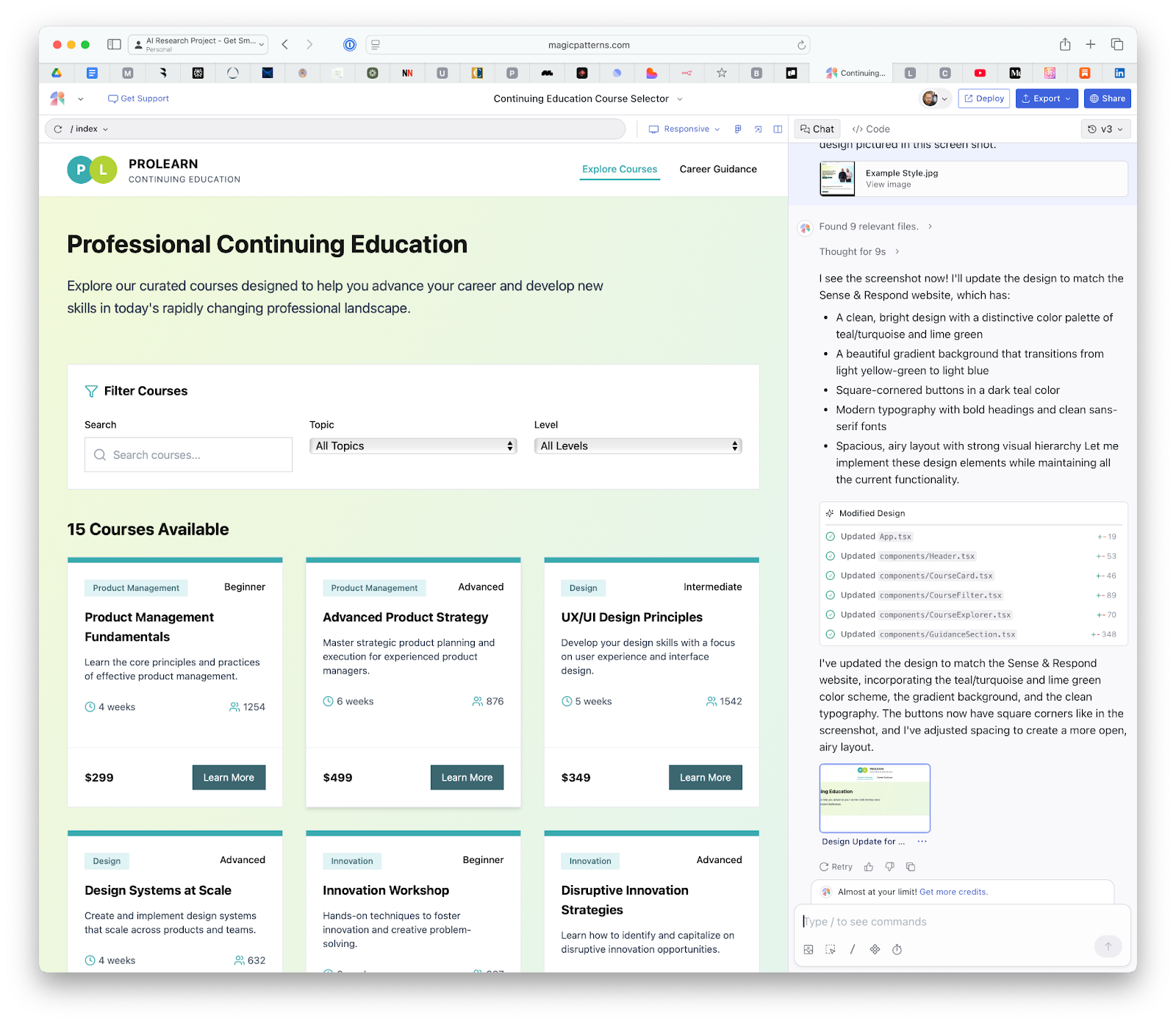
So I tried a couple of times to get Magic Patterns to use the correct typefaces. The first time, I gave it the link to our company style guide on Canva. It couldn’t read that link, so I tried to give it the typeface spec manually—unfortunately, I ran out of credits, so it stopped me dead. (See aside, above.) I tried to ask Magic Patterns’ AI help engine for help—after all, I’m trying to give them a fair shake. Magic Patterns wouldn’t give me any more help though: $19/mo, sir.
Sorry Magic Patterns. I can see the promise, but I haven’t yet seen the value. No $$ from me, yet.
In the mean time, what Magic Patterns did do is pretty good, especially if you think about it as a prototype. And just in terms of production time and effort, it’s a huge step forward compared to previous generation tools. This would have taken all day in a wireframing tool like Axure.
Preliminary Conclusion: Prompt-Driven Design
Prompt-driven design is a tantalizing prospect, one that I suspect will draw users from design-adjacent roles: product managers, developers, and other tech people who want to create design concepts. It’s not ripe yet, but I suspect in a year or two, we’ll see some solid tools here.
Now of course, these new tools bring with them some new problems, particularly ones that non-design users will face. Magic Patterns confidently responded to my prompts with a design, but with no caveats—no guidance as to the relative strengths and weaknesses of the output. No guidance about what would be an appropriate use of the output.
A designer working at this early stage would probably try a few different approaches before settling on one. And those explorations would be decidedly less polished than what Magic Patterns returned to me. (Paper sketches, whiteboard sketches, etc.) A designer would also recognize that (1) the first solution is not the only solution and rarely the best solution, and that (2) the best solution will be context dependent. Magic Patterns did not ask me anything about context.
Will non-designers know how to use this tool responsibly? Don’t hold your breath.
In the mean time, I will say: these tools offer a ton of promise, and I do think that used well, they’re going to be a boon for teams that are trying to move quickly with limited resources.
Second Attempt Coming Tomorrow
When I finished this post, I wasn’t really satisfied. Later in the day, I decided to look into some other tools. I got intrigued by Bolt, and gave it a try. I’ll share that experience tomorrow.
Are you using promt-driven design tools? Are your colleagues? What’s been your experience? Let me know what you’re seeing in the comments, or in the subscriber chat.